
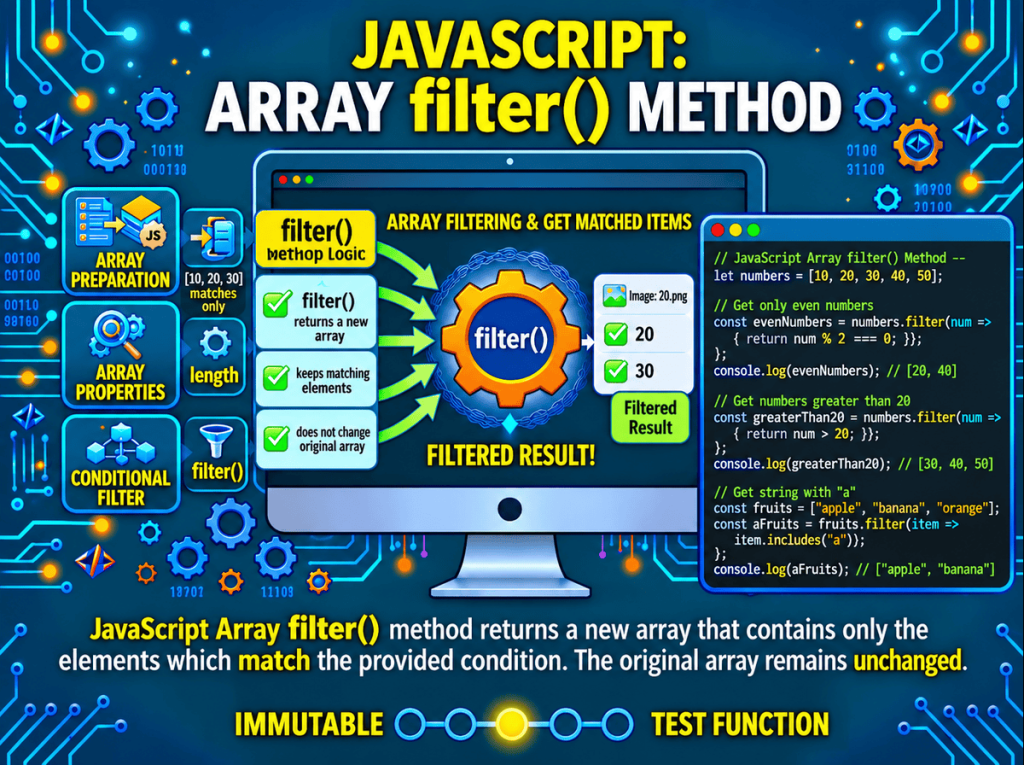
The JavaScript Array filter() method creates a new array containing the elements that pass a test. You provide a callback that returns a truthy or falsy result for each item; matching elements stay in the result, and nonmatching elements are left out. The original array is not changed. This guide adds practical examples for filtering records, combining conditions, and choosing between filter(), map(), find(), and related methods.
Syntax and Formal Specification
The method signature is filter(callbackFn, thisArg).
const prices = [5, 15, 25, 35, 45];
const affordable = prices.filter(p => p < 30);
console.log(affordable);   // [5, 15, 25]
Parameters
-
callbackFn— A function invoked for each element. It receives three arguments:-
element— The current element being processed. -
index— The integer index of the current element. -
array— The array on whichfilter()was called.
-
-
thisArg(optional) — A value used asthisinside the callback when the callback is a non-arrow function. Ignored for arrow functions, which lexically bindthis.
Return Value
A new array containing all elements for which the callback returned a truthy value, in original order. If no element passes, an empty array [] is returned (never undefined or null). If all elements pass, a shallow copy of the original array is returned.
console.log([1, 2, 3].filter(x => x > 5));    // []
console.log([1, 2, 3].filter(x => x > 0));    // [1, 2, 3]
console.log([].filter(x => true));            // []
Immutability and the Selection Contract
filter() does not mutate the array. It returns a new array containing references to the surviving elements. If the survivors are objects, they are the same references as in the original array—mutating them affects both arrays:
const users = [
  { name: "Alice", age: 30 },
  { name: "Bob", age: 15 },
  { name: "Cara", age: 25 }
];

const adults = users.filter(u => u.age >= 18);
console.log(adults.length);   // 2

adults[0].age = 31;
console.log(users[0].age);    // 31 (same reference)
For defensive copies of surviving objects, clone them explicitly:
const copies = users.filter(u => u.age >= 18).map(u => ({ ...u }));
copies[0].age = 99;
console.log(users[0].age);    // 30 (original unchanged)
Performance Characteristics
filter() runs in O(n) time and allocates a new array. The size of the new array is not known upfront, so the engine grows it dynamically (amortized O(1) per append). For large arrays, the allocation cost is proportional to the number of survivors.
const big = new Array(1_000_000).fill(1);

const t1 = performance.now();
const small = big.filter(x => x > 0);   // all survive, worst-case allocation
console.log(performance.now() - t1);

const t2 = performance.now();
const empty = big.filter(x => x > 10);  // none survive, minimal allocation
console.log(performance.now() - t2);
Callback Overhead
Each element invokes a user-defined function. For hot loops over large arrays, this cost is significant compared to a manual loop with inline logic:
// Faster: manual loop avoids function-call overhead
const manual = [];
for (let i = 0; i < big.length; i++) {
  if (big[i] % 2 === 0) manual.push(big[i]);
}

// Slower (typically): callback invocation per element
const viaFilter = big.filter(x => x % 2 === 0);
For most application code, the readability of filter() outweighs the micro-optimization. Reserve manual loops for performance-critical sections where profiling identifies filter() as a bottleneck.
Write a predicate that keeps the right elements
The callback is often called a predicate: it answers whether the current element should be included. A concise arrow function returns its condition automatically. If you use a block body with braces, include return; otherwise the callback returns undefined, which is falsy, so the result will be empty.
const numbers = [4, 7, 10, 13, 16];
const multiplesOfTwo = numbers.filter(number => number % 2 === 0);

console.log(multiplesOfTwo); // [4, 10, 16]
The callback does not need to return the literal Boolean true or false; JavaScript converts its result to truthy or falsy for the selection. A direct comparison usually makes the intended rule easiest to understand.
Filter objects with more than one condition
When an array contains records, a predicate can check several properties. Use logical operators to express whether every condition or at least one condition must be met.
const products = [
  { name: "Keyboard", price: 70, inStock: true },
  { name: "Mouse", price: 25, inStock: true },
  { name: "Monitor", price: 180, inStock: false }
];

const affordableStock = products.filter(
  product => product.inStock && product.price <= 50
);

console.log(affordableStock);
// [{ name: "Mouse", price: 25, inStock: true }]
Use && when all tests must pass and || when any one test is enough. The returned array contains the original object references; filter() makes a new array but does not clone the objects inside it.
Use the callback index and source array
The callback receives the current element, its index, and the original array. The extra arguments are optional in your callback, but they can help express a rule based on position or compare an item with its neighbors.
const scores = [55, 72, 68, 91, 84];

const highScoresAfterFirst = scores.filter(
  (score, index) => index > 0 && score >= 80
);

console.log(highScoresAfterFirst); // [91, 84]
Inside the callback, the third argument is the original array even when you do not store it in a separate variable. Avoid changing that array during filtering; additions beyond the starting length are not included in the pass, and edits to later positions can affect what the predicate sees.
filter() versus map(), find(), and some()
Choose a method based on the result you need:
filter()returns a new array with every matching element. It may be empty or contain several items.map()returns a new array with one transformed output for each visited element. It does not remove values based on a condition.find()returns the first matching element, orundefined, and stops after the first match.some()returns a Boolean telling you whether at least one element matches. It does not build an array of matches.
const values = [3, 8, 11, 14];

console.log(values.filter(n => n > 10)); // [11, 14]
console.log(values.map(n => n > 10));    // [false, false, true, true]
console.log(values.find(n => n > 10));   // 11
console.log(values.some(n => n > 10));   // true
This comparison helps avoid a common mix-up: returning a condition from filter() selects the original element, while returning a condition from map() stores that Boolean as the output.
Remove unwanted values without mutating the array
A common use of filter() is to create a new array without values that meet an unwanted condition. Write the predicate so the items you want to keep return truthy.
const tasks = ["plan", "draft", "draft", "publish"];
const uniqueTasks = tasks.filter(
  (task, index, array) => array.indexOf(task) === index
);

console.log(uniqueTasks); // ["plan", "draft", "publish"]
console.log(tasks);       // ["plan", "draft", "draft", "publish"]
This pattern keeps the first occurrence of each value, but it repeatedly searches the array and can be inefficient for a large list. For primitive values, [...new Set(tasks)] is a simpler option. For objects, decide which property defines a duplicate and use a Set of those keys when needed.
How filter() handles sparse arrays
filter() skips empty slots in a sparse array: the predicate is called only for indexes that exist. The result is a new dense array of the matching values, so holes from the source are not copied as empty slots.
const sparse = [10, , 30];
const presentValues = sparse.filter(() => true);

console.log(presentValues); // [10, 30]
console.log(presentValues.length); // 2
An explicit undefined is a real value at an existing index and is passed to the callback; an empty slot is not. This distinction matters when arrays are created with missing positions or when code uses the delete operator on an array element.
Chaining filter() and map()
You can select items first and transform them afterward by chaining methods. The order matters: filtering first means the mapping callback runs only for the retained items.
const orders = [
  { id: 101, status: "paid", total: 24 },
  { id: 102, status: "pending", total: 18 },
  { id: 103, status: "paid", total: 42 }
];

const paidOrderIds = orders
  .filter(order => order.status === "paid")
  .map(order => order.id);

console.log(paidOrderIds); // [101, 103]
For a small pipeline this is readable and keeps the original data unchanged. If the same selection is reused in several places, store the filtered result in a named variable to make the steps easier to inspect.