

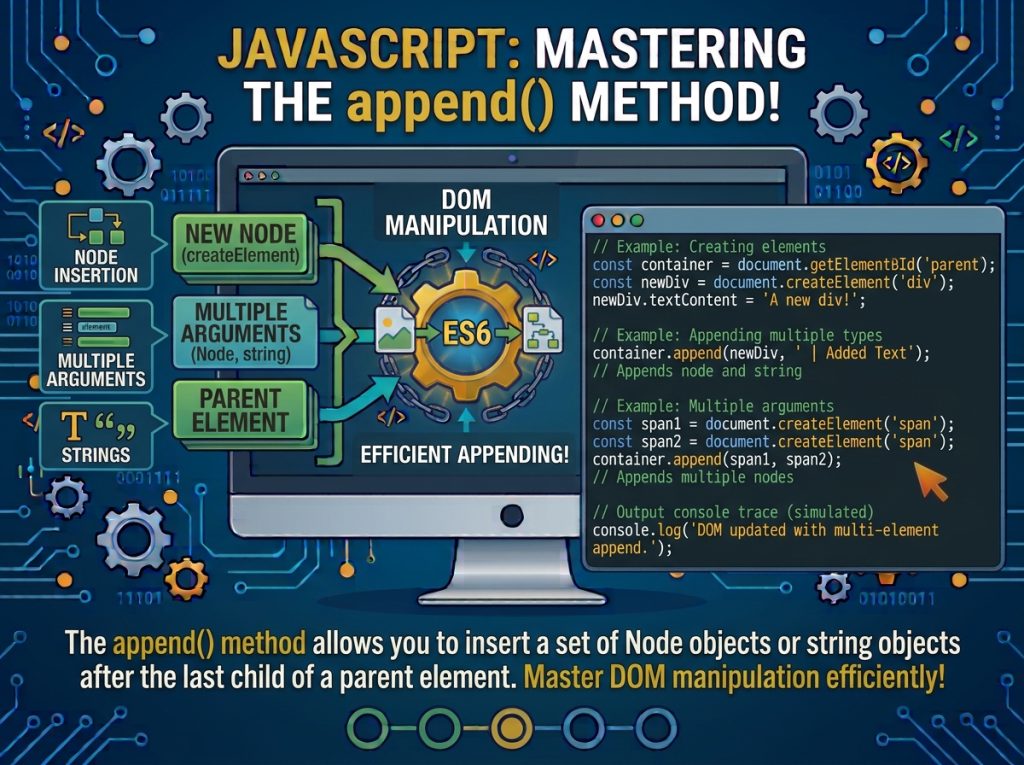
The JavaScript append() method is a DOM manipulation method that allows you to insert text, HTML elements, and multiple nodes at the end of an existing parent element. It is commonly used to add new content dynamically to a web page without reloading the browser.
The append() method belongs to the ParentNode interface and can be used with elements, documents, and document fragments.
JavaScript append() Method Syntax
The syntax of the JavaScript append() method is:
parentElement.append(...nodesOrDOMStrings);Parameters:
nodesOrDOMStrings: One or more Node objects or DOM strings that you want to append to the parent element.
The append() method accepts multiple arguments. Each argument can be a DOM node or a string.
Return value:
The append() method returns undefined.
JavaScript append() Method Example
Here is a simple example of using the append() method to add text to an HTML element.
HTML:
<div id="container">
    <p>Welcome to JavaScript</p>
</div>
JavaScript:
const container = document.getElementById("container");

container.append(" Learn DOM Manipulation");
The text is added at the end of the container element.
Output:
<div id="container">
    <p>Welcome to JavaScript</p>
    Learn DOM Manipulation
</div>
The string is inserted as a text node, not interpreted as HTML.
JavaScript append() Method to Add an HTML Element
You can create a new HTML element with document.createElement() and append it to an existing element.
HTML:
<div id="container"></div>JavaScript:
const container = document.getElementById("container");

const paragraph = document.createElement("p");

paragraph.textContent = "This paragraph was created using JavaScript.";

container.append(paragraph);
Output:
<div id="container">
    <p>This paragraph was created using JavaScript.</p>
</div>
In this example:
getElementById()selects the parent element.createElement()creates a new paragraph.textContentsets the paragraph text.append()inserts the paragraph at the end of the parent element.
JavaScript append() Method with Multiple Elements
One advantage of the append() method is that it accepts multiple arguments. You can append several elements and text strings in a single call.
HTML:
<div id="container"></div>JavaScript:
const container = document.getElementById("container");

const heading = document.createElement("h2");
const paragraph = document.createElement("p");

heading.textContent = "JavaScript DOM";
paragraph.textContent = "Learn DOM manipulation with JavaScript.";

container.append(heading, paragraph, " Start learning today!");
Output:
<div id="container">
    <h2>JavaScript DOM</h2>
    <p>Learn DOM manipulation with JavaScript.</p>
    Start learning today!
</div>
All three arguments are inserted in the order in which they are provided.
JavaScript append() Method with Text
You can use the append() method to insert plain text directly into an element.
const heading = document.createElement("h2");

heading.append("JavaScript Tutorial");

document.body.append(heading);
This example creates a heading, adds text to it, and appends the heading to the document body.
JavaScript append() Method with a DocumentFragment
A DocumentFragment allows you to build multiple DOM nodes before inserting them into the document.
const container = document.getElementById("container");

const fragment = document.createDocumentFragment();

for (let i = 1; i <= 3; i++) {
    const paragraph = document.createElement("p");

    paragraph.textContent = "Paragraph " + i;

    fragment.append(paragraph);
}

container.append(fragment);
The three paragraph elements are assembled inside the fragment and then appended to the container. Appending a fragment moves its children into the destination element.
Difference Between append() and appendChild()
Both append() and appendChild() are JavaScript DOM methods used to insert nodes into a parent element. However, they have some important differences.
| Feature | append() | appendChild() |
|---|---|---|
| Arguments | Multiple | One |
| Accepts strings | Yes | No |
| Accepts DOM nodes | Yes | Yes |
| Return value | undefined | Appended node |
| Interface | ParentNode | Node |
Example using append():
const container = document.getElementById("container");

container.append("Hello", document.createElement("p"));
Example using appendChild():
const container = document.getElementById("container");

const paragraph = document.createElement("p");

paragraph.textContent = "Hello";

container.appendChild(paragraph);
The append() method supports both strings and nodes, while appendChild() accepts a single node.
JavaScript append() Does Not Parse HTML Strings
An important detail is that strings passed to append() are inserted as text, not parsed as HTML.
const container = document.getElementById("container");

container.append("<strong>Hello JavaScript</strong>");
The browser displays the characters <strong>Hello JavaScript</strong> as text rather than creating a bold element.
If you need to create an HTML element, use document.createElement() and append the resulting node:
const container = document.getElementById("container");

const strong = document.createElement("strong");

strong.textContent = "Hello JavaScript";

container.append(strong);
This approach also avoids interpreting untrusted input as HTML.
JavaScript append() Method with an Existing Element
The append() method can also move an existing DOM element from one location to another.
HTML:
<div id="first">
    <p id="message">Hello World</p>
</div>

<div id="second"></div>
JavaScript:
const message = document.getElementById("message");
const second = document.getElementById("second");

second.append(message);
The paragraph is moved from the first container to the second container. It is not duplicated.
JavaScript append() Method Browser Support
The append() method is supported by modern browsers, including Chrome, Firefox, Safari, and Edge. It is part of the modern DOM API and is widely used in JavaScript web development.
