
Introduction
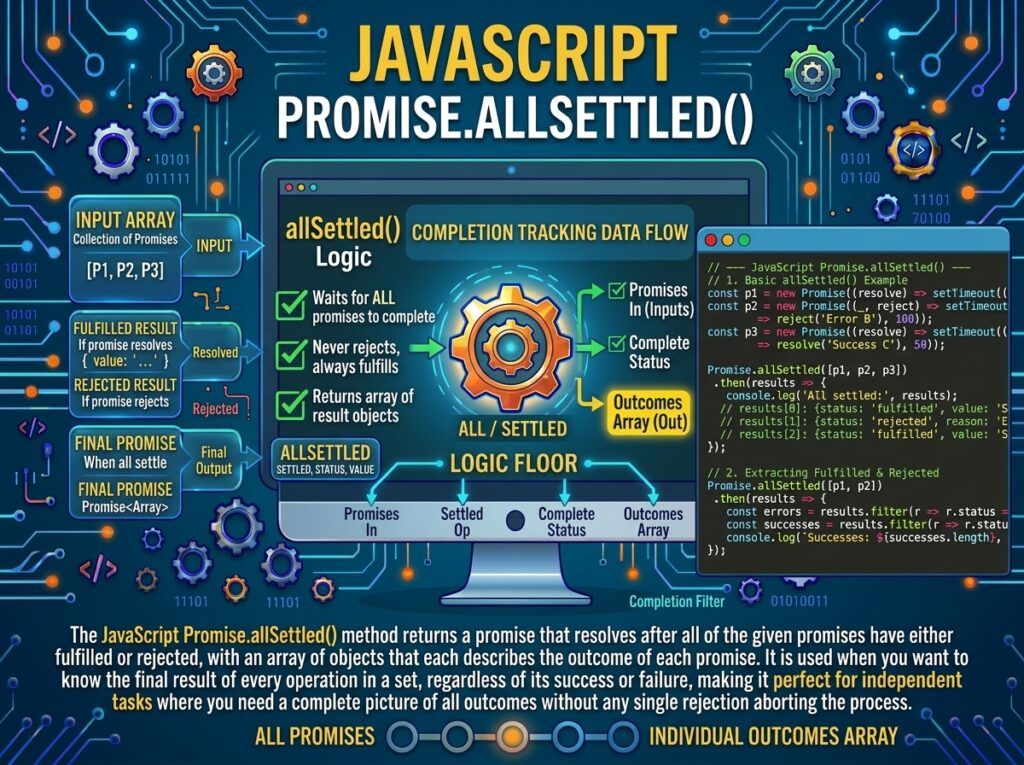
JavaScript Promise.allSettled() Method is a static method of the JavaScript Promise object. It takes an iterable, usually an array, containing promises or other values. It returns a promise that fulfills after every input has settled. A promise is considered settled when it is either fulfilled or rejected.
The fulfilled result contains one outcome object for each input, in the same order as the original iterable. The order is based on the input sequence, not on which asynchronous operation finishes first.
Each outcome object has a status property. When an input fulfills, the object has status: "fulfilled" and a value property containing the fulfillment value. When an input rejects, the object has status: "rejected" and a reason property containing the rejection reason.
Syntax of Promise.allSettled()
Promise.allSettled(iterable);The iterable argument can be an array or another iterable object, such as a Set. Its elements may be promises, thenables, or ordinary values. Ordinary values are treated like already-fulfilled promises.
The method returns a new promise. That returned promise fulfills with an array of outcome objects after all input values have settled. It does not reject because one of the input promises rejects. The returned promise can still reject if the iterable cannot be processed, for example if accessing its iterator throws an error.
Basic Example of Promise.allSettled()
The following example creates three promises. Two promises fulfill and one promise rejects. The method waits for all three and returns the outcome of each operation.
const promise1 = Promise.resolve("Data loaded");
const promise2 = Promise.reject("Unable to load profile");
const promise3 = Promise.resolve("Settings loaded");

Promise.allSettled([promise1, promise2, promise3])
  .then((results) => {
    console.log(results);
  });
The output has three objects. The first and third objects contain a fulfilled status and a value. The second object contains a rejected status and a reason. Even though promise2 rejects, the other results are included.
[
  { status: "fulfilled", value: "Data loaded" },
  { status: "rejected", reason: "Unable to load profile" },
  { status: "fulfilled", value: "Settings loaded" }
]
Notice that the output follows the order of the promises in the input array. If the third promise finishes before the first promise, its result still appears in the third position.
Understanding the Fulfilled Result
When an input promise fulfills, its corresponding outcome object contains two properties: status and value. The status is the string "fulfilled", while value contains whatever the promise returned.
const tasks = [
  Promise.resolve(100),
  Promise.resolve("Completed"),
  Promise.resolve({ name: "Alex", active: true })
];

const results = await Promise.allSettled(tasks);

console.log(results[0].status); // "fulfilled"
console.log(results[0].value);  // 100
console.log(results[1].value);  // "Completed"
console.log(results[2].value);  // { name: "Alex", active: true }
The value can be a number, string, object, array, or any other JavaScript value. The method does not change the fulfillment value; it places that value inside the outcome object.
Understanding the Rejected Result
When an input promise rejects, the corresponding outcome object contains status: "rejected" and a reason property. The reason is the value passed to reject() or thrown by the asynchronous operation.
const tasks = [
  Promise.resolve("Request completed"),
  Promise.reject(new Error("Network unavailable"))
];

const results = await Promise.allSettled(tasks);

results.forEach((result) => {
  if (result.status === "rejected") {
    console.log("Request failed:", result.reason.message);
  }
});
Using an Error object as the rejection reason is generally helpful because it provides a message and stack information. However, JavaScript allows a promise to reject with any value, so code should not assume every reason has a message property.
Using Promise.allSettled() with async/await
You can use Promise.allSettled() with async and await to write asynchronous code in a readable way. Awaiting the returned promise gives you the complete array of outcomes.
async function loadDashboard() {
  const tasks = [
    fetch("/api/profile"),
    fetch("/api/notifications"),
    fetch("/api/settings")
  ];

  const results = await Promise.allSettled(tasks);

  results.forEach((result, index) => {
    if (result.status === "fulfilled") {
      console.log(`Task ${index + 1} completed`, result.value);
    } else {
      console.error(`Task ${index + 1} failed`, result.reason);
    }
  });
}

loadDashboard();
This example waits until all three fetch calls settle. The returned values are Response objects for fulfilled fetch promises. Remember that fetch() normally fulfills when the server responds, even for HTTP error statuses such as 404 or 500. Check response.ok and handle HTTP errors separately when you need to treat them as failures.
Processing Successful and Failed Results Separately
In many applications, you may want to separate successful results from failed results. You can use filter() to create two arrays based on the status property.
const tasks = [
  Promise.resolve("Product list"),
  Promise.reject("Review service unavailable"),
  Promise.resolve("Shopping cart"),
  Promise.reject("Recommendation service unavailable")
];

const results = await Promise.allSettled(tasks);

const successful = results.filter(
  result => result.status === "fulfilled"
);

const failed = results.filter(
  result => result.status === "rejected"
);

console.log("Successful:", successful);
console.log("Failed:", failed);
The successful array contains only fulfilled outcome objects, while the failed array contains only rejected outcome objects. You can then map the successful objects to their values or log the rejection reasons for monitoring.
const values = successful.map(result => result.value);
const errors = failed.map(result => result.reason);

console.log(values);
console.log(errors);
Using Promise.allSettled() with an Array of API Requests
A common practical use is sending several independent API requests and displaying whichever results are available. The following example defines a helper function that checks the HTTP response before returning JSON.
async function getJson(url) {
  const response = await fetch(url);

  if (!response.ok) {
    throw new Error(`HTTP error: ${response.status}`);
  }

  return response.json();
}

async function loadPageData() {
  const requests = [
    getJson("/api/products"),
    getJson("/api/categories"),
    getJson("/api/reviews")
  ];

  const results = await Promise.allSettled(requests);

  const pageData = {};

  results.forEach((result, index) => {
    const keys = ["products", "categories", "reviews"];
    const key = keys[index];

    if (result.status === "fulfilled") {
      pageData[key] = result.value;
    } else {
      pageData[key] = null;
      console.error(`Could not load ${key}`, result.reason);
    }
  });

  return pageData;
}

loadPageData().then(data => {
  console.log(data);
});
In this example, a failure to load reviews does not discard the products and categories data. The application can render the available sections and show an appropriate message for the unavailable section. This approach is suitable when the requests are independent and partial page content is useful.
Promise.allSettled() with Ordinary Values
The iterable passed to Promise.allSettled() does not need to contain only promises. Ordinary values are accepted and treated as fulfilled inputs. The returned outcome for each ordinary value has a fulfilled status and the value itself.
const results = await Promise.allSettled([
  25,
  "JavaScript",
  true,
  Promise.resolve("Completed")
]);

console.log(results);
Each item produces a fulfilled result. This behavior is useful when an array contains a mixture of existing values and asynchronous operations. The method normalizes them into a consistent outcome format.
Promise.allSettled() with an Empty Array
If you pass an empty array, Promise.allSettled() returns a promise that fulfills with an empty array. There are no input operations to wait for, so the result contains no outcome objects.
Promise.allSettled([])
  .then(results => {
    console.log(results); // []
  });
This behavior can simplify code that builds a list of tasks dynamically. You do not need a separate special case just because the task list is empty.
Difference Between Promise.all() and Promise.allSettled()
Both methods accept multiple inputs and return a promise that represents their combined outcome, but their failure behavior is different.
Promise.all()fulfills when every input fulfills. If an input rejects, the returned promise rejects with that rejection reason.Promise.allSettled()waits until every input settles and then fulfills with an array describing every outcome.Promise.all()is appropriate when every operation must succeed for the next step to continue.Promise.allSettled()is appropriate when you need to inspect both successful and failed operations.
const tasks = [
  Promise.resolve("First completed"),
  Promise.reject("Second failed")
];

Promise.all(tasks)
  .then(console.log)
  .catch(error => console.log("Promise.all:", error));

Promise.allSettled(tasks)
  .then(results => console.log("Promise.allSettled:", results));
The first combined operation rejects because one input rejects. The second fulfills with two outcome objects, allowing the program to inspect both results.
Difference Between Promise.allSettled() and Promise.race()
Promise.race() settles as soon as one input promise settles. The first settled input determines whether the returned promise fulfills or rejects. In contrast, Promise.allSettled() waits for every input to settle before returning the complete list of outcomes.
Use Promise.race() when the first completed operation matters, such as implementing a timeout race. Use Promise.allSettled() when you need a final report of all operations, including failures.
When Should You Use Promise.allSettled()?
Choose Promise.allSettled() when asynchronous tasks are independent and one failure should not hide the outcome of the others. Common examples include:
- Loading several dashboard sections from different API endpoints.
- Sending independent analytics or logging requests and collecting their outcomes.
- Running multiple file uploads when each file should report its own success or failure.
- Checking several services and creating a health report after every check completes.
- Performing batch operations where the user needs to know which records succeeded and which failed.
- Loading optional resources where some content can still be displayed if another resource is unavailable.
It is less suitable when the next operation requires every previous operation to succeed. In that situation, Promise.all() communicates the requirement more clearly.
Working with PromiseSettledResult
JavaScript’s type definitions describe the outcome objects using the PromiseSettledResult type. It represents a union of two possible shapes: PromiseFulfilledResult and PromiseRejectedResult. Checking the status property lets TypeScript narrow the result and safely expose either value or reason.
const results = await Promise.allSettled([
  Promise.resolve(42),
  Promise.reject(new Error("Operation failed"))
]);

for (const result of results) {
  if (result.status === "fulfilled") {
    console.log("Value:", result.value);
  } else {
    console.log("Reason:", result.reason);
  }
}
This status check is important because fulfilled results have a value property, while rejected results have a reason property. Treating the result as a discriminated union keeps the code clear and type-safe.